Claim your profile
Fourteen parts, end to end: where your profile came from, how the number proves it is yours, what you can then edit, and what stays as it is.
Last updated:
Help › Claim your profile
What claiming means
Every DHA Lahore dealer already has a profile on this site. You did not open it and you were not asked — we built it from what the market itself publishes. Claiming means you tell us it is yours, we confirm that, and from then on the page is in your hands.
Once it is yours you can change the photo, the office address, the phases you work in, the languages you speak, your years in the market, an intro video and a few lines in your own words — from your phone, any time, as often as you like.
What it costs: nothing
The profile is free, claiming it is free, and keeping it up to date is free. There is no package to buy, no monthly fee, and nothing is hidden behind a payment. Every dealer in DHA gets the same page, whether or not they can afford the big portals.
Where your profile came from
Three places, all of them public: the rate messages dealers send in the DHA WhatsApp groups, the ads that appear on the property portals, and DHA Lahore Cantt's own published list of registered property dealers.
That is why the number matters so much here. The profile was built around the number you send your rates from — so that same number is the strongest proof that the profile is yours.
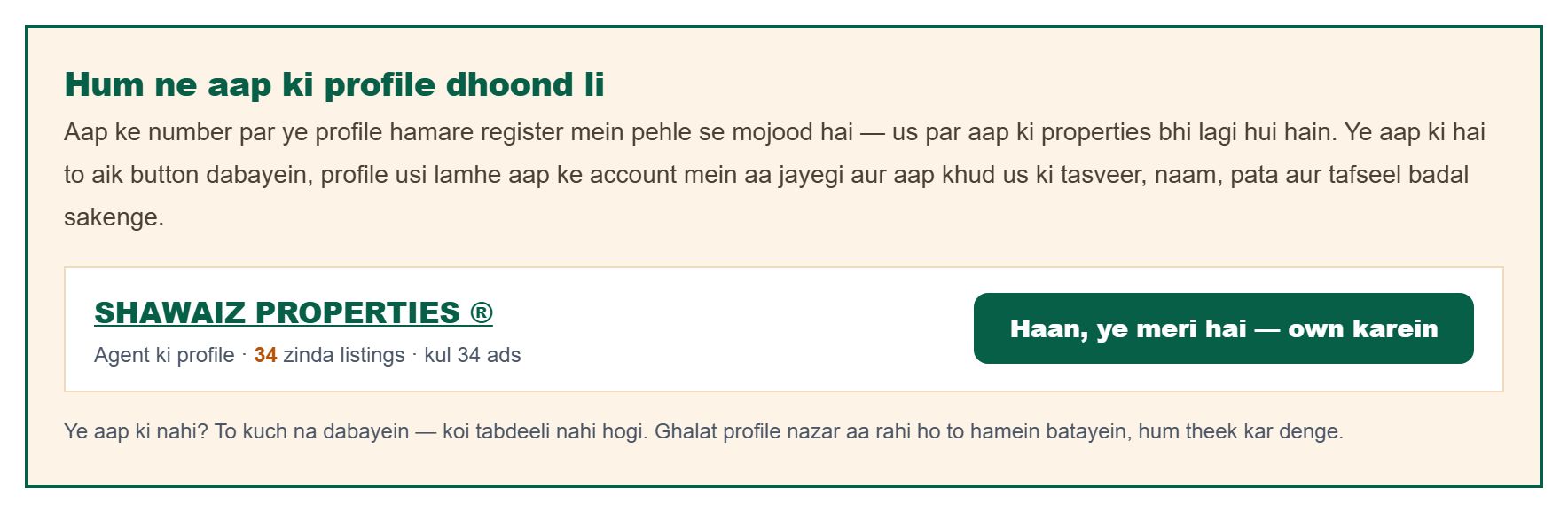
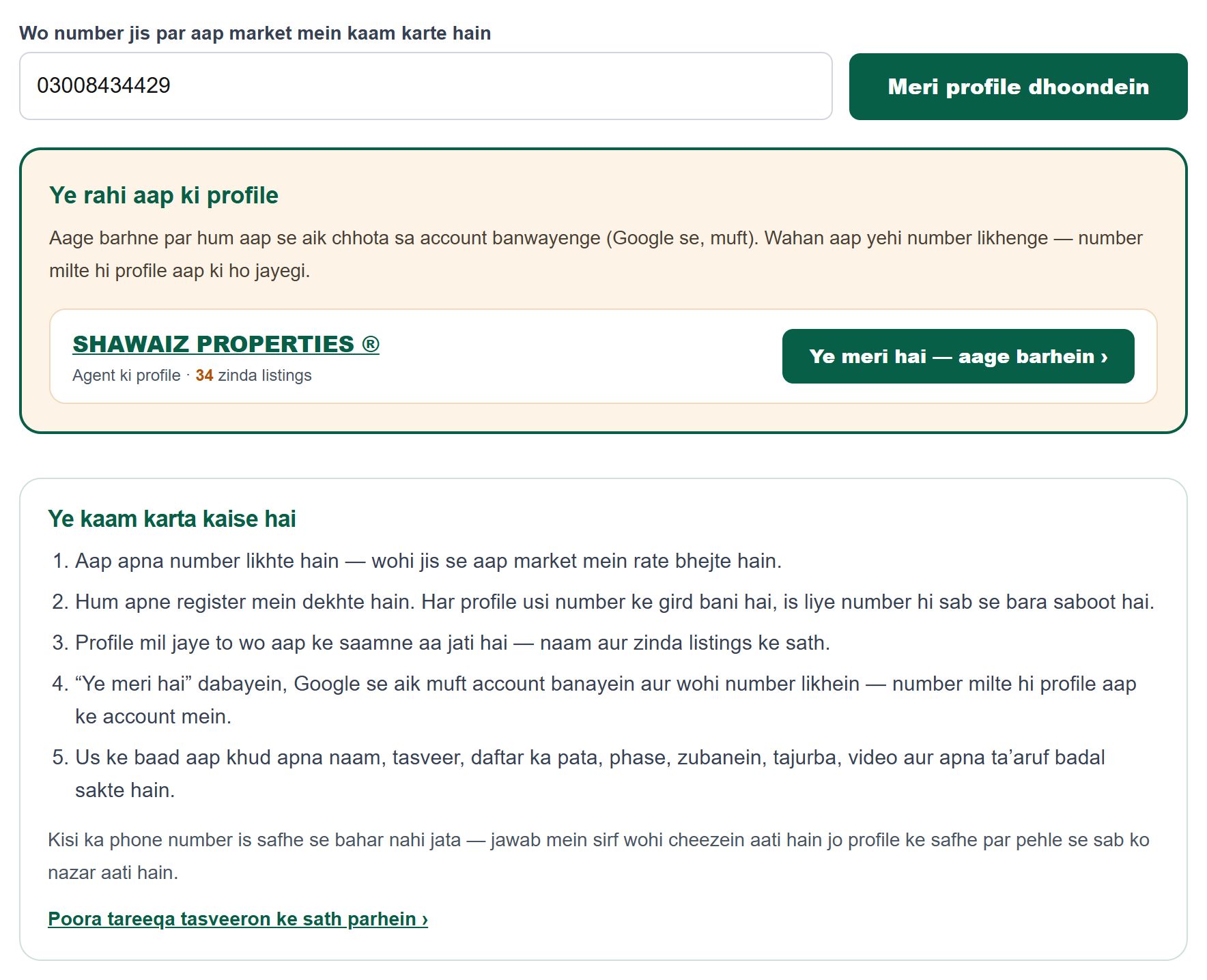
The easiest way — we find it for you
You do not have to hunt for your page at all. Sign in with the number you work on, and your own profile is already waiting for you inside — with its name and the number of live listings counted beside it. One press on “Yes, this is mine” sends the claim to our office, and once it is signed off the page is yours.
Your agency comes the same way: if that number belongs to any agent listed under the agency, the agency page is offered to you as well.
Nobody is shown somebody else’s page. A profile is put in front of you only when the number on your account is the very number that profile was built from. If nothing matches, you simply see nothing — and nothing happens on its own: until you press the button, the page stays exactly as it was.
Step one — find your profile
Open the agents directory and look for your own name, or your office's name. Agencies have their own directory. If a name was never written in the messages, the profile may be under the number instead — search there too.
Quicker still: open the “Find my profile” page, type the number you work on, and we will put your profile in front of you — no account needed just to look. Cannot find yourself at all? Write to us on WhatsApp and we will open the profile for you, also free.
Step two — press the claim button
Near the bottom of every agent and every agency page there is a gold box that asks “Is this your profile?” with a button beside it. Press it and the claim page opens.
If the box is not there and you see “kept up to date by the dealer” instead, that profile has already been claimed by someone.

Step three — sign in with Google
A profile has to belong to an account, otherwise anyone could change it. The account is free and opens with your Google sign-in — no password to remember. The first time, we also ask for your WhatsApp number, your office name and address.
After signing in you land back on the same claim page — you do not have to find it again.
The quick way: your number matches
If the WhatsApp number on your account is the number the profile was built from, the page says so and shows one button. Press it and your claim goes in marked as a matched one — the strongest kind there is. Our office signs those off quickly, usually the same day, and there is nothing to pay at any point.
0300, 92300 or +92 300 — we compare the last ten digits, so the way you write the number does not matter.
The other way: we check by hand
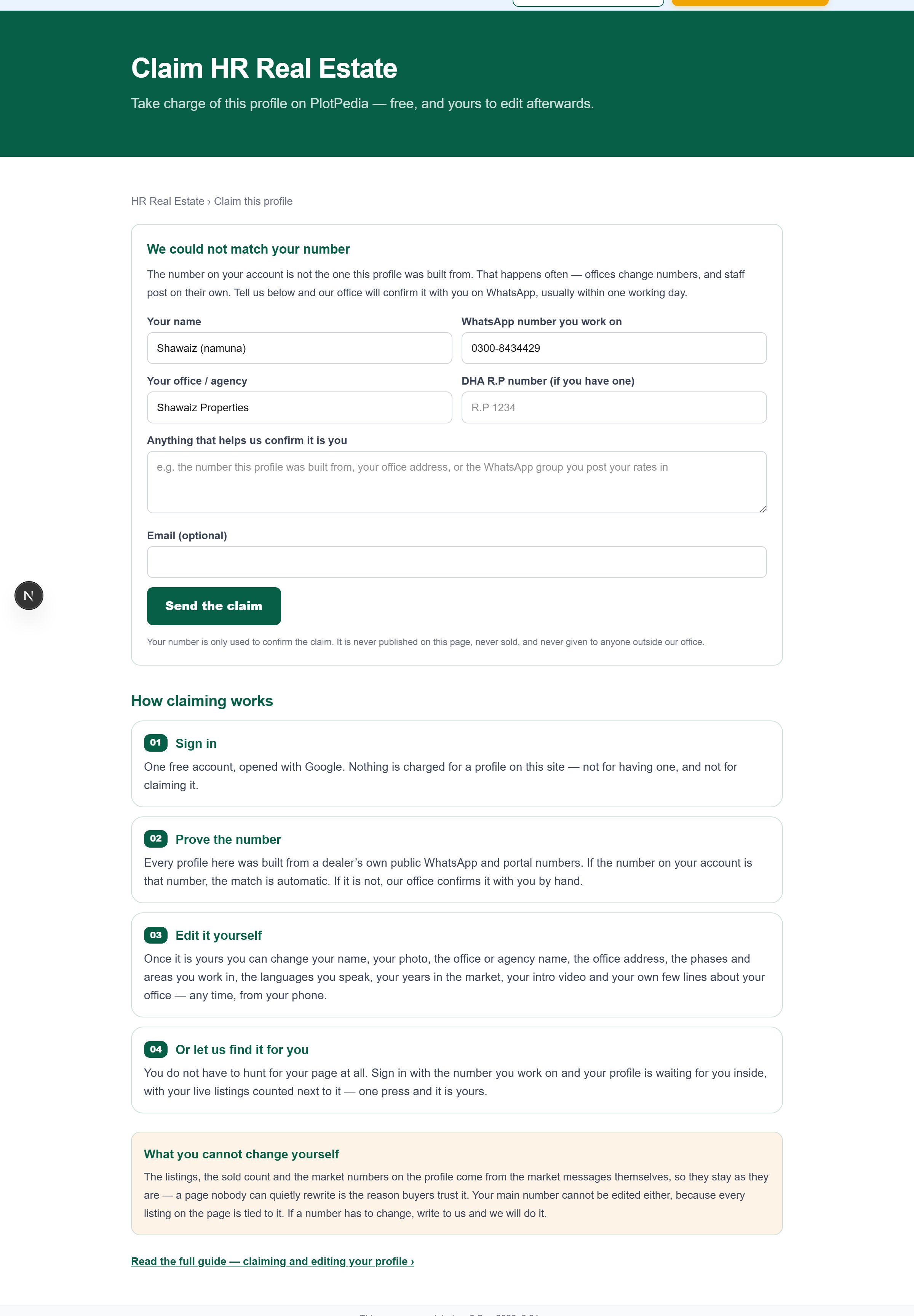
Numbers change, staff post from their own phones, and offices move. If your number does not match, the page shows a short form instead: your name, the number you work on, your office, your DHA R.P number if you have one, and anything else that helps.
That request goes straight to our office. We message you on WhatsApp on the number you gave, usually within one working day, and once we are satisfied the profile is handed to your account. Nothing about you appears on the page in the meantime.
What you can change yourself
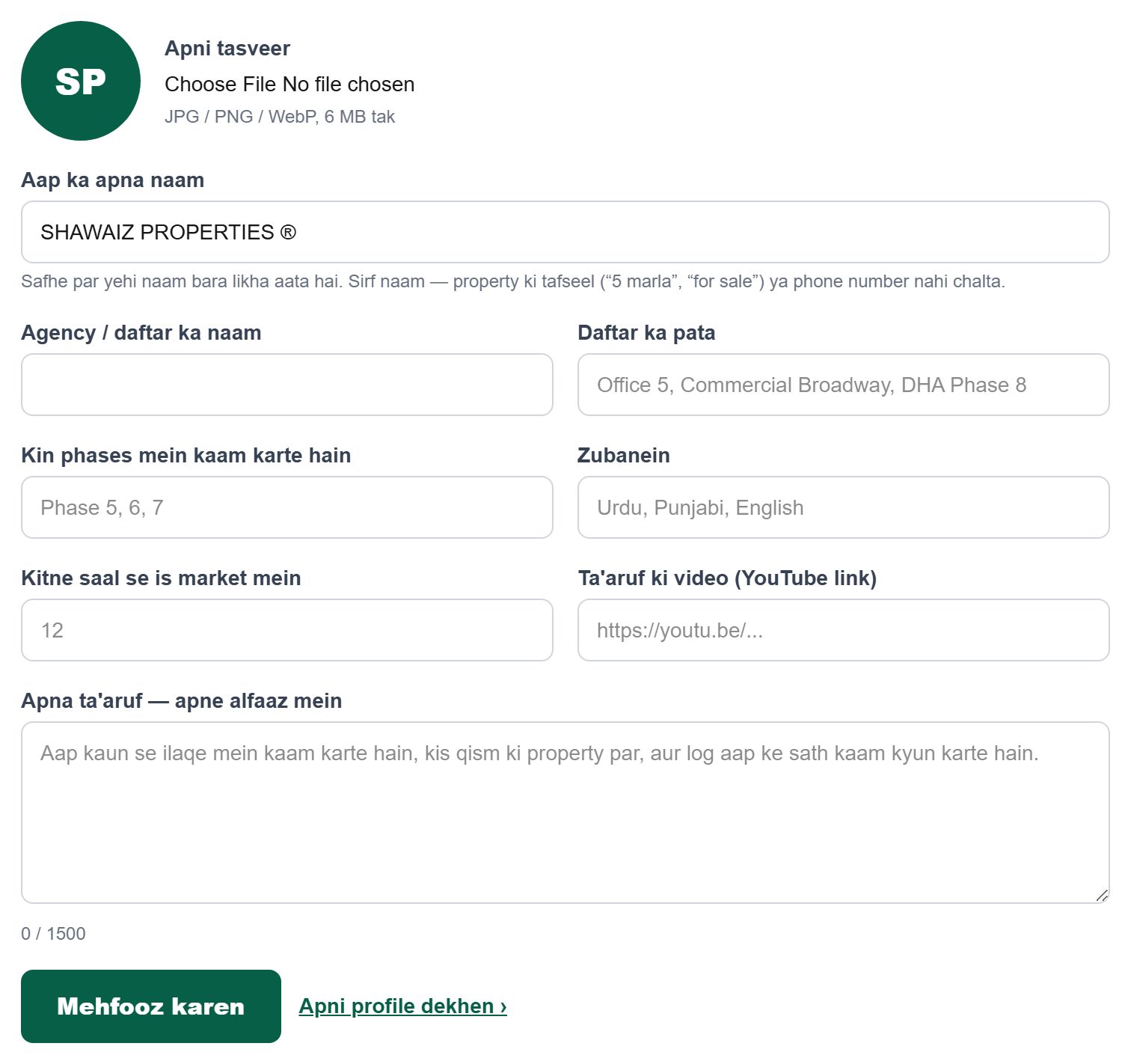
Your own name, your photo, your office or agency name, the office address, the phases you work in, the languages you speak, your years in this market, a YouTube introduction video, and a few lines about your work in your own words. Many profiles were built from a WhatsApp signature, so the name is often half-written — you can put it right yourself.
All of it lives on one page: sign in, open the agent panel, and press “Meri profile”. Whatever you save appears on your public page immediately.
Putting your own name right
Many profiles carry a half-written name, because that is how it arrived in the WhatsApp signature — sometimes only a first name, sometimes just the number. Once the page is yours you can put the name right yourself, from “Meri profile”.
A name has to stay a name. Anything that is really an advertisement is turned down — “for sale”, “5 marla”, “NDC ready”, a phone number, a web link, or anything shorter than three letters. Ordinary office names pass without trouble: “Lahore Plots Marketing” is fine, “10 Marla Plot For Sale” is not.
Changing the name does not change your page’s link, and it does not move a single listing — those hang on your number, not on your name. Anything you have already shared keeps working.

What you cannot change, and why
The listings, the sold count, the days on the market and the other market numbers are not editable — not by you, and not by any other dealer. They come from the market messages themselves. A page that dealers could quietly rewrite would be worth nothing to a buyer, and it is the buyers who make these pages useful to you.
Your main number is not editable either, because every listing on that page is tied to it. If your number has really changed, write to us and we will change it ourselves.
The DHA registered-dealer mark and the R.P number are not ours to hand out either — they come from DHA's own published list.
Agencies: the same, with one shortcut
An agency page is claimed exactly the same way, from the button on the agency page. The shortcut: if your number belongs to any agent already listed under that agency, the match is automatic — you do not have to wait for us.
One account can hold one agent profile and one agency profile at a time.
If someone else has taken your profile
Write to us the same day. We keep a record of every claim — who asked, from which number, when, and who approved it — so a wrong one can be taken back and handed to the right person.
If you would rather not be listed at all
Then say so and it goes. Tell us and we will take your properties off display and delete the profile — no argument, no delay, no charge. It is your name, not ours.

The whole thing in five presses
Find your profile in the agents directory. Press “Claim this profile” at the bottom of it. Sign in with Google. If your number matches, press the confirm button; if not, send the short form. Then open “Meri profile” in your panel and fill in your own details.